Works with Apple Health
CharacterSheet reads your workouts, heart rate, sleep, weight and water from Apple Health and turns them into XP and buffs. It also saves your workouts and mindful sessions back, so Health keeps the record.
 CharacterSheet is an iPhone and Apple Watch appPoint your iPhone camera at the code to install it.
or text me the link
What it does
Apple Health is where your iPhone and Apple Watch keep your numbers. CharacterSheet uses it in both directions. It reads workouts, heart rate, sleep, weight and water, and it writes back your workouts, mindful sessions, water and weigh-ins. Nothing about your character depends on typing numbers twice.
The built-in Clock app has timers and alarms, and that is all it needs to do. It does not know what you trained, how long you slept or what your heart did during a run. CharacterSheet reads those from Health, so a good night of sleep becomes the Well Rested buff and a run you recorded in another app still earns XP.
How it works in the app
- Start your first real session with the + button, log a weigh-in, log water or open the sleep goal. CharacterSheet does not ask for Health at launch or in onboarding. It asks the first time you need it.
- A half sheet titled "One quick thing: Apple Health" explains what Health is for. It has one button, Continue.
- Tap Continue. iOS shows its own Health sheet, where you choose what to share. Saying yes also switches on Import Other Workouts.
- Train. When a Strength, Endurance or Agility session ends, CharacterSheet saves it as a workout with its energy (measured by your watch, or estimated). Spirit sessions such as meditation are saved as Mindful Minutes. Wisdom sessions like reading stay in the app, since Health has no type for them.
- Open Log and tap a session. A line shows the result: "Saved to Apple Health" with the destination, or "Not synced, enable Health" if the write failed. A failed write never blocks your XP.
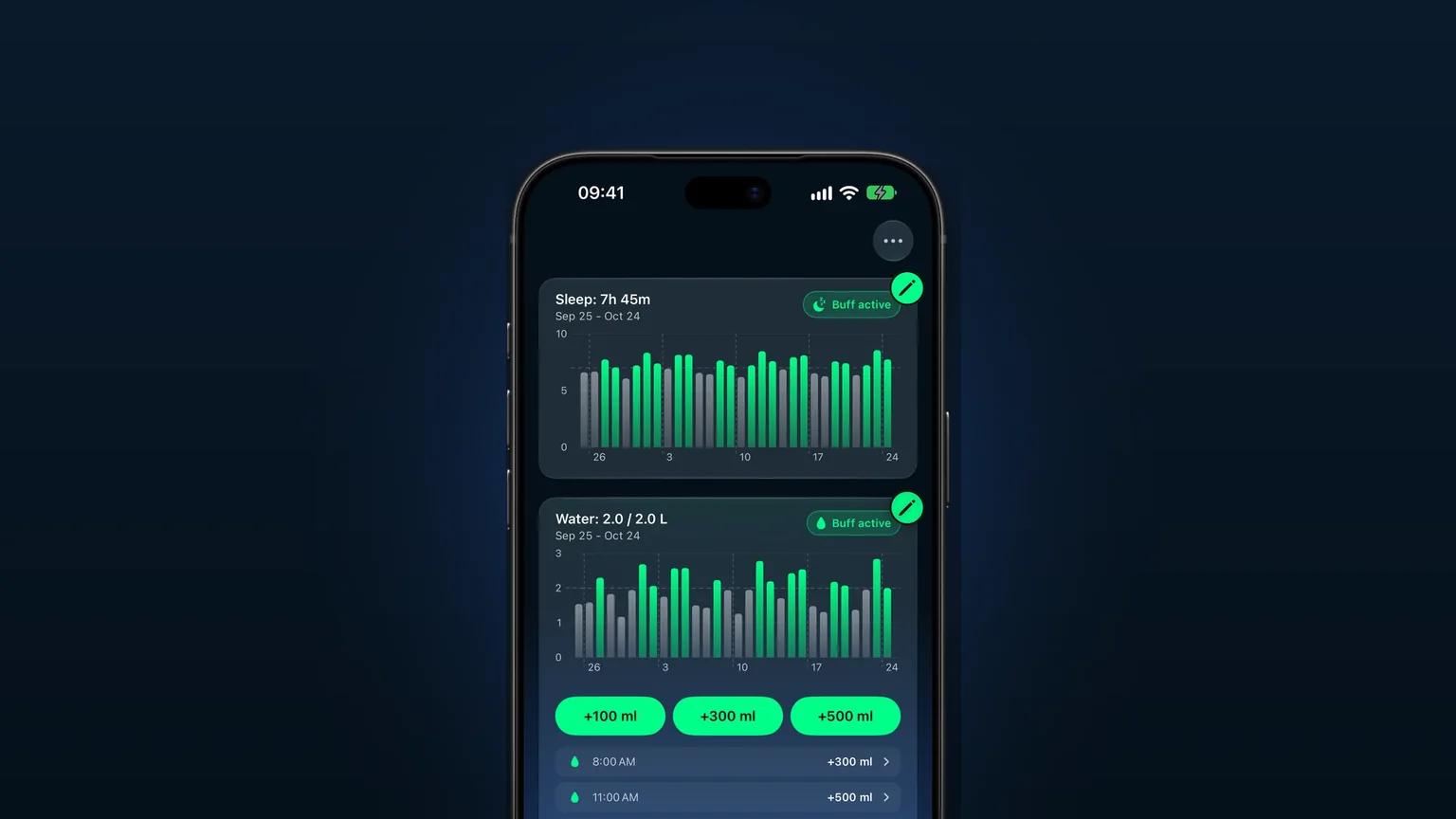
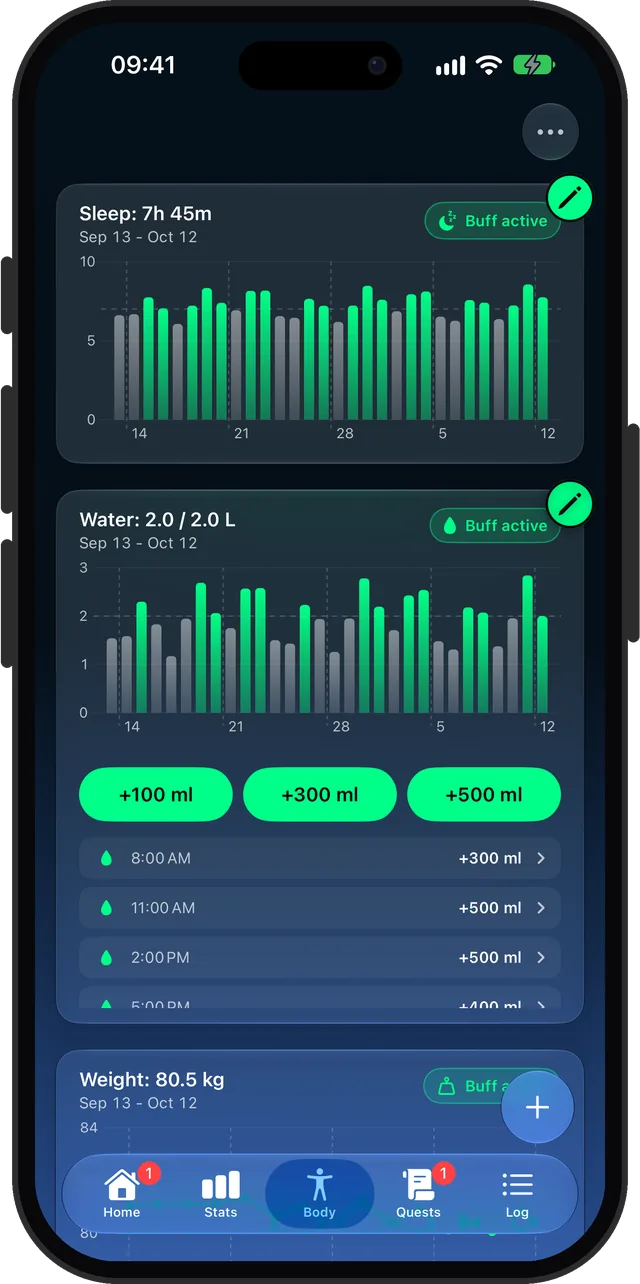
- Open the Body tab. Sleep comes from Health. Water has +100, +300 and +500 ml buttons that write to Health. Weight has Log weigh-in and Edit weigh-in.
If you wear an Apple Watch, the heart rate it records during a session shows up in the session detail as a chart, with average and peak, calories and distance when Health has them. The Apple Watch app covers the wrist side.
Every option
Settings has a Health section with three switches:
| Switch | What it does | Default |
|---|---|---|
| Read from Apple Health | Allows every read. Off means no sleep, heart rate or weight reads, so the sleep, weight and heart rate bonuses go dark. | On |
| Save to Apple Health | Shows whether saving is allowed. Once Health has been asked, iOS only lets you change that in the Health app, so tapping it opens a help alert with an Open Health button. | Follows iOS |
| Import Other Workouts | Brings in workouts other apps saved to Health, starting the day you switch it on. | On after you accept the first Health sheet |
What CharacterSheet can touch, by type:
| Data | Read | Write |
|---|---|---|
| Workouts | Yes | Yes |
| Active energy | Yes | Yes |
| Heart rate and resting heart rate | Yes | No |
| Sleep | Yes | No |
| Weight | Yes | Yes |
| Water | Yes | Yes |
| Walking, running and cycling distance | Yes | No |
| Date of birth | Yes | No |
| Mindful Minutes | No | Yes |
The sleep goal is separate. On the Body tab, edit the sleep card and pick 6 to 12 hours (the default is 7). A night at or above it counts as well rested. The night resets at 4 AM, and overlapping sleep records from a watch and a phone are merged so one night is not counted twice.
Your date of birth and heart rate set the effort scale. CharacterSheet averages your resting heart rate over 30 days and sets your maximum to the higher of 220 minus your age and the highest rate you recorded in the last 6 months. A session with measured heart rate adjusts its XP. A session with none, such as a phone-only one, is never scaled. Buffs explains the Well Rested, Weighed In and On Track bonuses.
To change what each app can read or write, Apple says to open the Health app, tap your profile button, and under Privacy tap Apps.
When it is the right tool
You already track runs in another app
Switch on Import Other Workouts. A run from another app or Apple's Workout app arrives as a session, levels your stat and counts toward quests, with no second timer. CharacterSheet counts the running time and leaves out pauses.
You want sleep to matter
Wear your watch to bed or let your phone log sleep. If you hit your goal, Well Rested is on the day you wake up. The sleep, water and weight guide shows how to build the habit.
You log water on the go
Tap +300 ml at your desk. It lands in Health, so other apps see it too. You can edit or delete a single entry from the Body tab.
You want one honest workout record
Strength, Endurance and Agility sessions you train in CharacterSheet go to Health as workouts, so your workout history stays in one place. If you delete one from the Log, CharacterSheet removes the Health entry the phone saved. A session your watch saved stays in Health; delete it in the Health app.
You are building a routine
Health data feeds a daily loop. The gamify your workouts guide covers the full picture.
Limits
- It needs an iPhone with Health. The Health switches are hidden on devices without it, and the app needs iOS 26 or later.
- Import starts today. Past workouts are never pulled in, so old history cannot flood your XP.
- Import runs while the app is open. It checks at launch and when the app becomes active, not in the background.
- Imported workouts score as Medium effort and are never written back, so Health does not get a duplicate. Trimming or deleting one leaves the other app's record alone.
- A workout counts once. CharacterSheet skips its own, ones it already imported, and any that overlap a logged session by half or more.
- A workout type that trains no stat, such as a football match, is not imported.
- It cannot rewrite what it did not save. A trim of a Watch or imported workout changes your log, and Health keeps the original length.
- It does not read VO2 max, steps or other Health categories not in the table above. It also cannot add data to Health that no device recorded.
- It cannot see whether read access is granted. iOS hides that, so the Read switch records your choice and the system sheet decides.
- CharacterSheet is a subscription app. Health is part of it, with no separate Health purchase.
Frequently asked questions
Does CharacterSheet work with Apple Health?
Yes. It reads workouts, heart rate, sleep, weight and water, and writes workouts, active energy, weight, water and Mindful Minutes. It asks the first time you need Health, not at launch.
Can I gamify Apple Health or my Apple Watch data?
That is what CharacterSheet does. Workouts from Health or your watch earn Strength, Endurance or Agility XP, sleep powers the Well Rested buff, and heart rate adjusts session XP. The levels and quests sit on top of the data you already have.
Does an Apple Watch connect to Apple Health?
Yes, and CharacterSheet reads what the watch records there, such as heart rate and sleep. You can also train from the CharacterSheet watch app. Its sessions are saved to Health by the watch, and the phone does not save a second copy.
Can CharacterSheet import workouts from other apps?
Yes, if the other app saves them to Apple Health. Switch on Import Other Workouts in Settings. It starts the day you switch it on, runs while the app is open and skips workouts it already has.
How do I stop CharacterSheet reading my Health data?
Turn off Read from Apple Health in Settings. To change what it can write, open the Health app, tap your profile button, then under Privacy tap Apps and choose CharacterSheet.
Does it add VO2 max to Apple Health?
No. CharacterSheet does not read or write VO2 max. It reads heart rate, resting heart rate, distance, sleep, weight, water, workouts and date of birth.
Sources
Connect Health and level up
Get CharacterSheet on the App StoreMore features
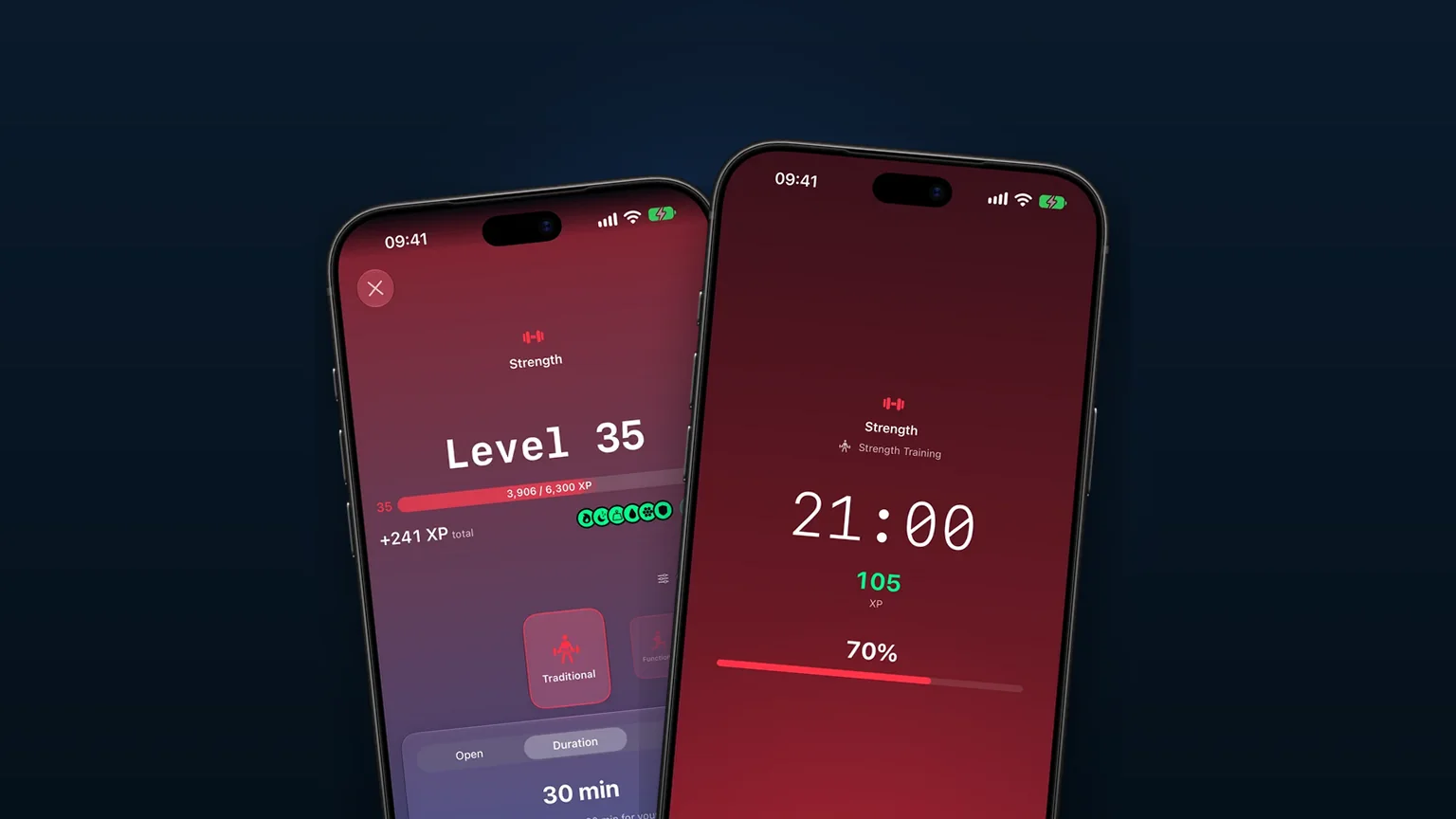
An Apple Watch workout app where heart rate earns XP
Start a session from your wrist and let your heart rate raise the XP, by up to 25% for harder work.
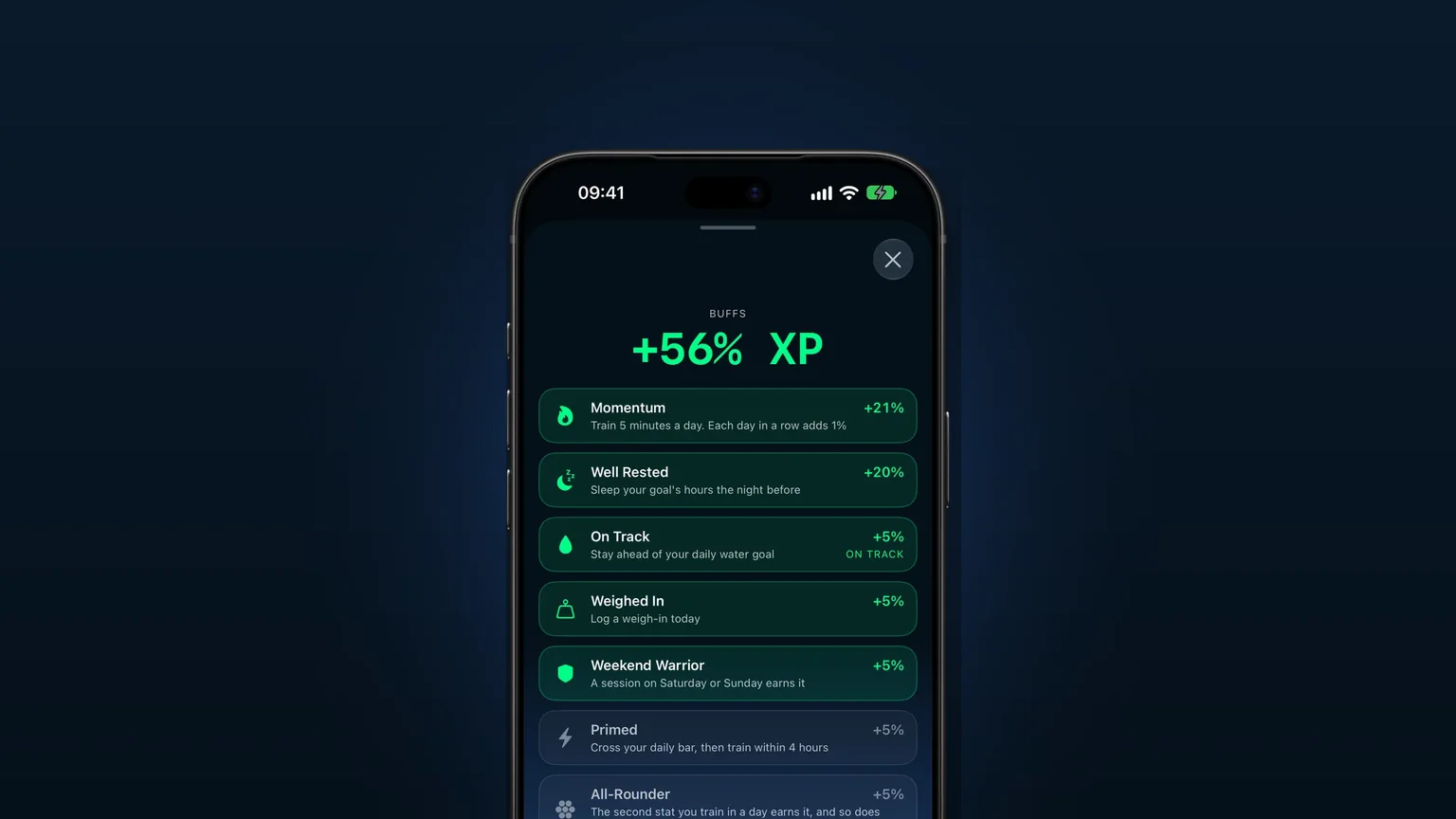
Buffs for sleep, water and weigh-ins
Sleeping your goal, staying on pace with water and weighing in each add bonus XP to your sessions.
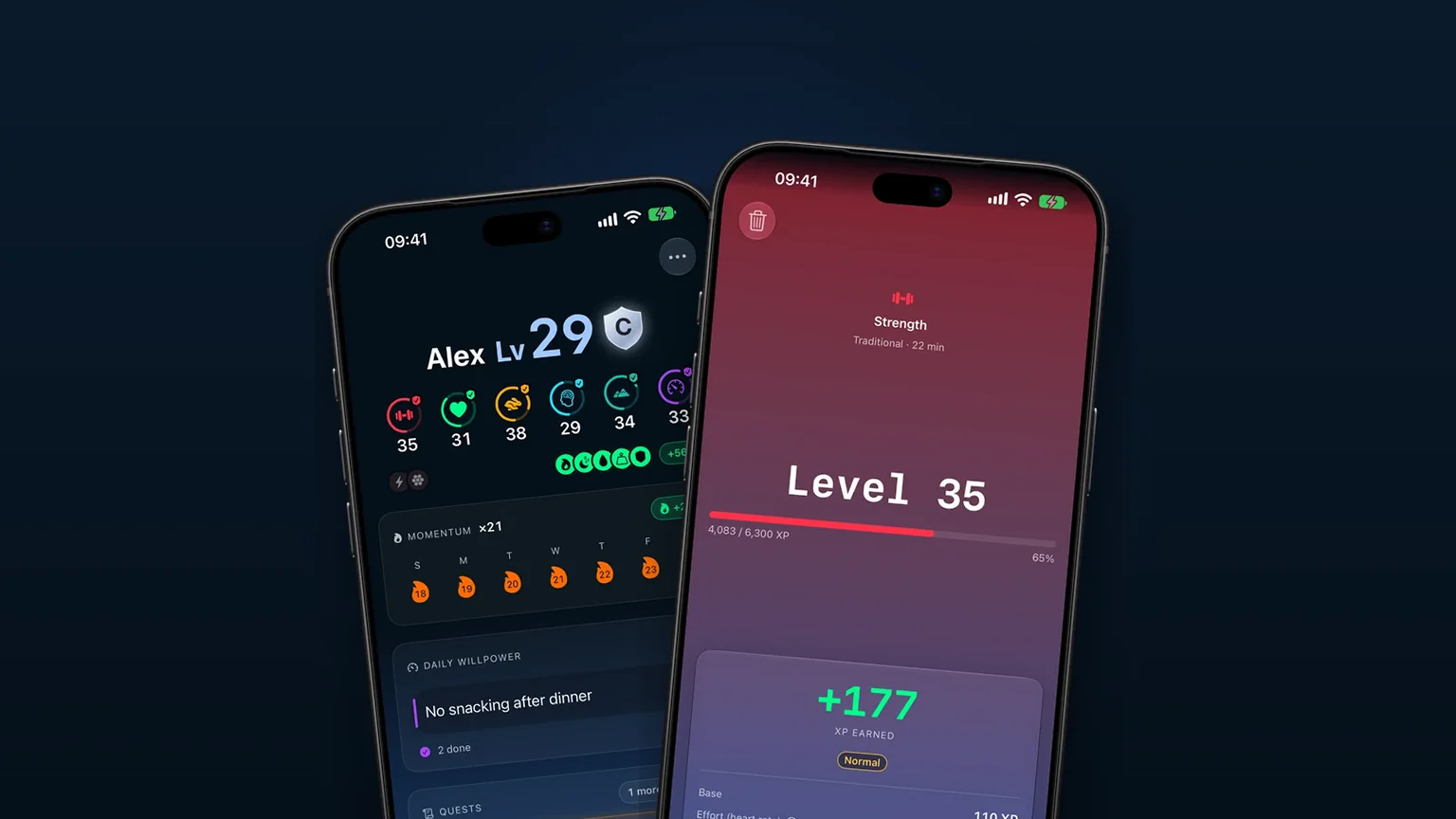
Levels 1 to 60: easy workouts stop paying as you climb
Six stats level from 1 to 60, each level costs more XP, and easy activities stop paying as you climb.