How to Level Up in Real Life
In a game you always know your character's stats. In real life you mostly guess. Writing them down is a quick way to find out which part of you has been skipping training.
Quick answer: Pick a handful of stats that cover body and mind, decide which activities train each, and log the time you put in. Levels come from time, so the neglected stat shows itself. CharacterSheet uses six: Strength, Endurance, Agility, Wisdom, Spirit and Willpower.
Pick your stats
Keep the list short, and make it cover more than the gym. A character who can deadlift twice their weight but has not read a book in two years is a bit lopsided. So is the reverse.
Six is a good number: three for the body, two for the head, and one for the boring things that hold a life together.
Decide what trains what
Every activity should have one obvious home. These are the six CharacterSheet uses:
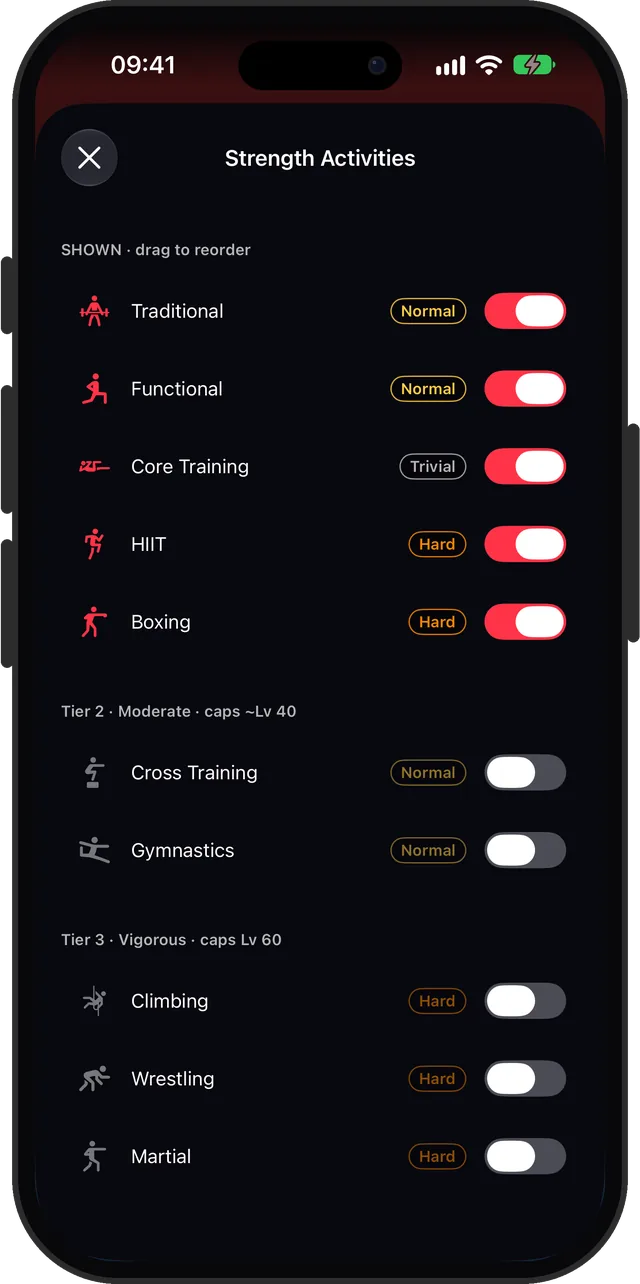
- Strength: weights, functional training, core, HIIT, climbing, boxing
- Endurance: running, walking, cycling, swimming, rowing, hiking
- Agility: yoga, stretching, pilates, tennis, dance, tai chi
- Wisdom: reading, studying, coding, puzzles, languages, writing
- Spirit: meditation, journaling, breathwork, reflection, gratitude, time in nature
- Willpower: deep work, admin, chores, errands, and small daily habits
Let the weakest stat lead
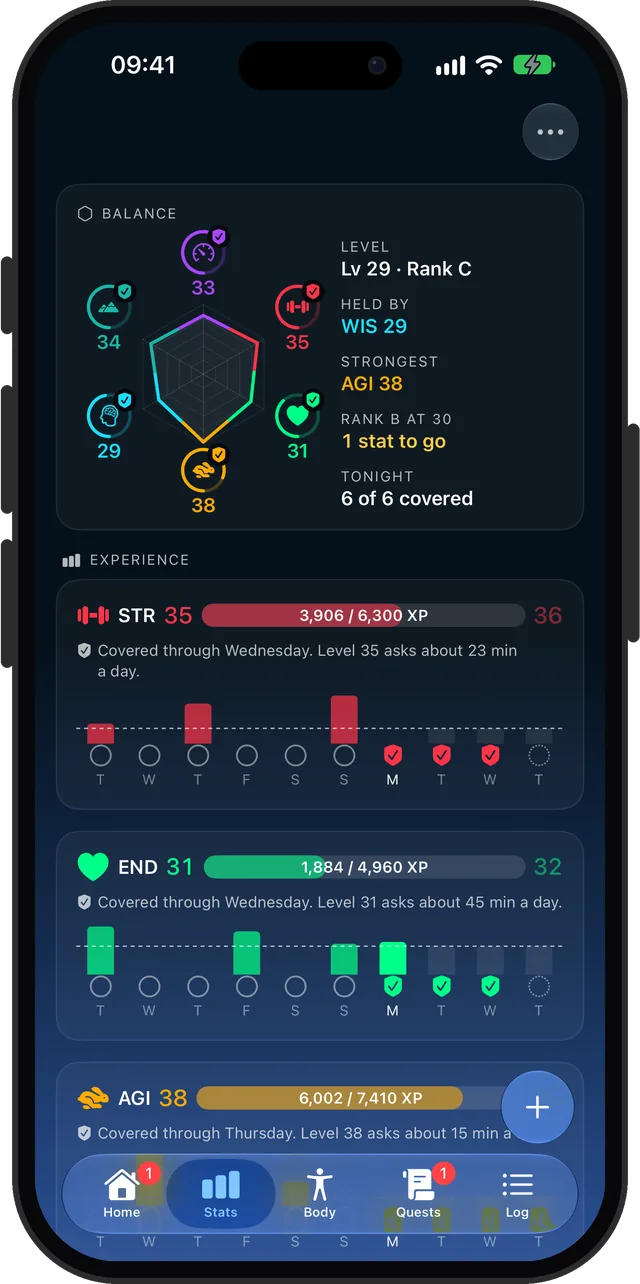
It is tempting to pour everything into the stat you already like. The fix is one rule: your character is only as high as its lowest stat. Strength 30 and Wisdom 4 is a level 4 character.
That rule does the nagging for you. The fastest way up is always the stat you have been avoiding.
Make the levels get harder
Early levels should be cheap. A walk and a few pages of a book are real training when you are starting out, and they should pay.
Later levels should ask for more. In CharacterSheet, each stat goes from level 1 to 60, and every ten levels is a rank, from E up to S. Light activities stop paying XP once your level outgrows them, and only vigorous training reaches level 60.
How to set it up in CharacterSheet
- Open the app and set up your character. All six stats start at level 1.
- Tap the plus button, pick a stat, and choose an activity. Switch on the ones you actually do, and add your own if one is missing.
- Start the timer. The session lands on that stat's XP bar when you finish.
- Check the Stats tab now and then. The radar shows which stat is holding your level.
See where you stand
Six stats, level 1 to 60. The lowest one sets your level.